Captions AI Video Auto Caption2.0.0
Publisher Description


Automatic Video Captions and Subtitles and Generate AI Caption,Subtitle,AutoCap
🚀 AI Video Editor with Auto AI Captions & Subtitles – The AI Tool for Social Media Creators & Influencers! 🎥✨
Want to create professional-quality videos with captions and subtitles in just a few taps? This AI-powered video editor makes it easy to edit videos, generate auto captions & add subtitles effortlessly. Whether you're making for Instagram Reels captions, TikTok videos, YouTube Shorts, or vlogs, this app ensures perfectly synced captions & subtitles to enhance engagement.
🌟 Key Features:
🎬 AI Video Editor – Powerful video editing tools to trim, cut, merge & enhance videos.
💬 AI Captions & Subtitles – Auto-generate captions & subtitles with Caption AI speech recognition.
📝 Reels & Video Captions – Create stylish captions & subtitles for social media videos.
🎥 Teleprompter for Video – Read scripts smoothly while recording high-quality videos.
🎙 Teleprompter Video Mode – Perfect for vlogs, presentations, & professional content creation.
📜 Teleprompter & Captions – Easily add captions while using a teleprompter.
🎨 Customizable Fonts & Text Effects – Add animated captions & subtitles to your videos.
🔥 Trending Filters & Stickers – Enhance your videos with cinematic effects.
📢 AI-Generated Hashtags – Boost reach with trending hashtags for TikTok, Instagram & YouTube.
📲 Optimized for Social Media – Export high-quality videos for TikTok, Instagram Reels, YouTube Shorts & Stories!
🎯 Why Choose This AI Video Editor?
✅ AI-Powered Editing – Smart AI captions & subtitles for quick video creation.
✅ Video Captions & Reels Captions – Perfectly synced captions & subtitles for maximum impact.
✅ Watermark-Free HD Export – Create high-quality videos without branding.
✅ Creative Text Templates – Premade fonts and styles for captions & subtitles.
✅ AI Hashtag Generator – Improve discoverability with smart hashtag recommendations.
✅ Auto Caption Integration – Seamlessly generate AutoCap captions for enhanced engagement.
✅ Teleprompter Video Recorder – Improve video quality with built-in teleprompter.
🎥 Perfect for Content Creators, TikTok, Instagram or YouTube Influencers & Businesses!
Whether you're making TikTok videos, Instagram Reels, vlogs, or ads, this video maker gives you everything you need to edit, caption, subtitle & share viral videos quickly and easily!
If you’ve tried tools for captions, video editing, subtitle automation, AI-powered text, or stylish Reels captions, you’ll love the advanced features our app offers!
Many video creators who rely on captions, subtitles, & professional video editing have used. Now, you can get all those features in one AI-powered video editor designed for effortless video editing, captions, & subtitles!
📌 How to Use:
1️⃣ Import or record a video.
2️⃣ Edit with AI Video Editor tools: trim, cut, add music & effects.
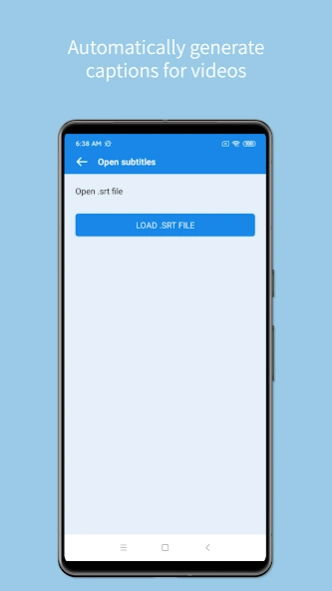
3️⃣ Auto-generate captions & subtitles using AI Captions.
4️⃣ Customize Reels Captions & video captions with unique fonts.
5️⃣ Use the teleprompter for video while recording high-quality content.
6️⃣ Export in HD & share on TikTok, YouTube Shorts, Instagram Reels, and Stories!
✨ Download now & start creating trending videos with AI Captions & Subtitles! 🚀
Disclaimer:
AI Captions is an independent application and is not affiliated with, endorsed by, or associated with any other app or their parent companies, including but not limited to Instagram, Facebook, Twitter (X), YouTube or TikTok.
About Captions AI Video Auto Caption
The company that develops Captions AI Video Auto Caption is Super Jiu. The latest version released by its developer is 2.0.0.
To install Captions AI Video Auto Caption on your Android device, just click the green Continue To App button above to start the installation process. The app is listed on our website since 2026-09-02 and was downloaded 60 times. We have already checked if the download link is safe, however for your own protection we recommend that you scan the downloaded app with your antivirus. Your antivirus may detect the Captions AI Video Auto Caption as malware as malware if the download link to com.liba.videoediter is broken.
How to install Captions AI Video Auto Caption on your Android device:
- Click on the Continue To App button on our website. This will redirect you to Google Play.
- Once the Captions AI Video Auto Caption is shown in the Google Play listing of your Android device, you can start its download and installation. Tap on the Install button located below the search bar and to the right of the app icon.
- A pop-up window with the permissions required by Captions AI Video Auto Caption will be shown. Click on Accept to continue the process.
- Captions AI Video Auto Caption will be downloaded onto your device, displaying a progress. Once the download completes, the installation will start and you'll get a notification after the installation is finished.
Program Details
System requirements
Download information
Pricing
Version History
version 2.0.0
posted on 2026-09-03
Fix known issues
version 1.8.2
posted on 2026-01-21
1.Free to use
2.Added support for Spanish, Portuguese, German, French, and Japanese.
version 1.7.6
posted on 2025-12-10
1.Free to use
2.Bug fixes
version 1.6.2
posted on 2025-02-12
Free to use
version 1.6.0
posted on 2024-08-20
Optimize translation issues
version 1.5.1
posted on 2023-10-08
Solve the problem of Samsung mobile phone android13 version
version 1.4.9
posted on 2023-09-08
1.All features for free
version 1.4.5
posted on 2023-07-24
1.Added an advertising reward model to get translation time for free
2.Free Various Video Toolbox
version 1.4.4
posted on 2023-06-04
Optimize the crash problem
